Under the Hood: How Apphold Checks If Your Websites Are Up
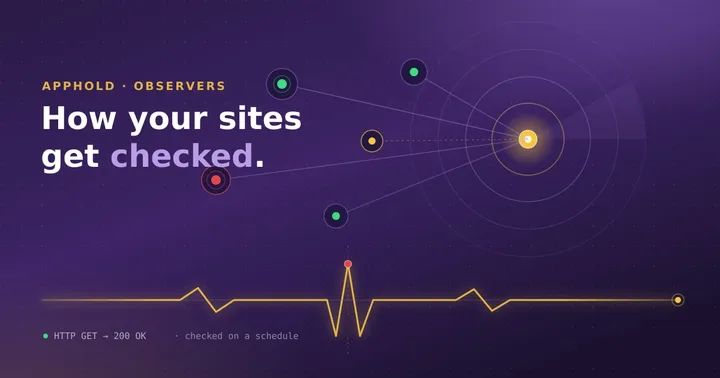
When you add an observer in Apphold, you point it at a URL and let it run. From then on, Apphold quietly checks that address for you and lets you know when something is wrong. This post opens the hood so you can see exactly what happens between “save observer” and “the team gets an email.”
If you haven’t created an observer yet, start with Configuring Observers for Downtime Notifications, then come back here for the mechanics.
Simple by design
Apphold is open-source and self-hosted, and its monitoring engine is deliberately small. There’s no hidden magic and no proprietary black box deciding whether your site is healthy. The entire check runs as a single scheduled task you can read, audit, and modify yourself. That transparency is the point: you always know exactly what Apphold is doing to your sites and when.
The check loop
At the heart of Apphold is one recurring task that runs on a fixed schedule - about every five minutes.
Each time it runs, it does the same thing:
- Load every observer that is currently active.
- Check each one, one after another.
You control whether an observer participates with its active toggle. Pause an observer and it’s simply skipped on the next run; enable it again and it rejoins the loop. There’s no separate daemon to babysit and no queue to manage - just a scheduled task doing its rounds.
What a single check does
A single check is a straightforward HTTP request:
- Apphold sends an HTTP GET to the observer’s URL.
- It follows redirects, so a
301or302that lands on a working page is fine. - It waits up to ten seconds for a response.
From there, the verdict is simple:
- Healthy - the site responds with
200 OK. - Down - the site responds with anything other than
200(a404, a500, a redirect that ends somewhere broken). Apphold records this as a site down event and keeps the status code it received. - Unreachable - the request never completes. DNS doesn’t resolve, the connection is refused, TLS fails, or the ten-second timeout is hit. Apphold records this as a connection error along with the underlying reason.
That’s the whole definition of “up” in Apphold: a 200 within ten seconds. It’s a deliberately strict, easy-to-reason-about rule rather than a pile of configurable conditions.
What happens when a check fails
When a check comes back unhealthy, Apphold does two things:
- Opens an incident. The incident records what went wrong - the observer it belongs to, whether it was a site-down or a connection error, and the status code or error message that was returned. This gives you a durable record of the failure rather than a notification that scrolls away.
- Emails your team. Apphold sends an email so a human knows to look. Failures from the same run are batched into a single message listing the affected URLs, rather than one email per site.
Incidents are yours to work
An incident in Apphold is more than an alert - it’s a small workflow you drive:
- Every incident starts as new.
- As you dig in, move it to fixing, and to fixed once the site is healthy again.
- If a failure isn’t worth acting on, mark it ignored.
- You can leave comments on an incident to keep context and hand-off notes alongside your team.
Because you own the incident’s lifecycle, Apphold stays out of your way: it reports what it observed and lets you decide what it means.
Why keep it this simple
It would be easy to bolt on more machinery, but Apphold’s monitoring is intentionally lean, and that buys you three things:
- Transparency. The whole check is a single, readable task. Nothing about how your sites are evaluated is hidden from you.
- Ownership. Because Apphold is self-hosted, your observers, incidents, and history live on your own infrastructure.
- Extensibility. It’s open-source. If you need behaviour the core doesn’t cover yet, the code is small enough to read in an afternoon and shape to your needs.
Wrapping up
Apphold’s observer engine isn’t magic - and that’s exactly why you can trust it. On a regular schedule it asks each of your sites a simple question, “do you answer with a 200 in ten seconds?”, and when the answer is no, it opens an incident and emails your team. Clear inputs, clear outputs, no surprises.
Want to see it in action? Spin up the demo instance and watch an observer run, or follow the Installation Guide to self-host and put Apphold in front of your own sites.
Questions or feedback? Reach out at info@apphold.org or join the Discord community. Stay up!
Need Professional Help?
Get custom development, managed hosting, data migration, and technical support — directly from the creators of Apphold.
Explore Premium